
Optimizing AI Cartoon Profile Pictures: Sizing Guide for Social Media
Creating the perfect cartoon profile picture for social media can be surprisingly tricky. One size does not fit all platforms. Choosing the wrong dimensions or style can make your carefully crafted image look pixelated or poorly framed.
Does your crisp Instagram cartoon turn fuzzy on LinkedIn? We’ll fix that. Platform-specific sizing prevents blur—no design degree required. Have you ever wondered why some cartoon avatars look crisp while others look stretched?
This comprehensive guide will walk you through optimal sizing, styling choices, and branding techniques. Using a high-quality AI cartoon generator is the first step. However, knowing how to format those results separates the amateurs from the pros. We will break down specific requirements for the world's most popular social networks.
Instagram Cartoon Profile Dimensions & Styles
Instagram is a visual-first platform where your profile picture is your primary handshake with the community. Whether you are an influencer or a small business owner, your image needs to be sharp. For many, a standard selfie feels too common. This is why many users choose to cartoonify your photo to add artistic flair that stands out in a crowded feed.
The Magic Numbers: Instagram's Ideal Cartoon Dimensions
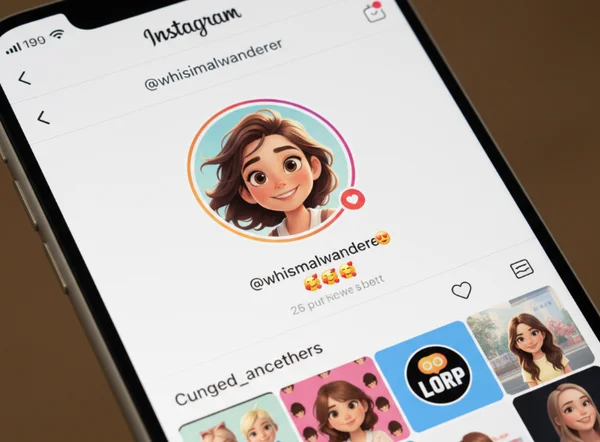
Instagram displays your profile picture as a circle, but the uploaded file should be a square. The standard display size is 110 x 110 pixels on mobile. However, the platform stores images at a much higher resolution.
To ensure your Instagram cartoon dimensions are perfect, upload an image that is at least 320 x 320 pixels. The best practice is to go even larger. We recommend using a 1:1 aspect ratio with dimensions of 1080 x 1080 pixels.
When you use an AI cartoon generator to produce your image, select the "1:1" aspect ratio option. This ensures that your face stays centered when Instagram crops your square image into a circle. Avoid putting important details in the corners, as the circular crop will cut them off.
Style Selection for Maximum Engagement
Choosing the right social media cartoon styles for Instagram depends on your personal brand. Instagram users generally respond well to vibrant, high-energy visuals.
- Ghibli Style: This is perfect for a "soft," "aesthetic," or "dreamy" look. It works incredibly well for lifestyle bloggers.
- Pixar/Disney Style: These 3D-inspired styles look like they belong in a professional movie. They are friendly and approachable.
- Anime Style: If you are part of the gaming or art community, a sharp anime-style cartoon signals your interests to followers.
Matching the right dimensions with a popular style ensures your profile looks professional and intentional.
TikTok Cartoon Character Generator Tips
TikTok is the home of personality and creativity. Your profile picture is the first thing people see when they watch your short-form videos. Using an AI-powered TikTok character creator helps you build a recognizable digital persona.
TikTok Character Animation Best Practices
Human photos often blend in. A stylized character builds brand recognition. Choose 'Disney' or 'Pixar' styles—their 3D depth creates avatars that look ready to animate.
Even though your profile picture is static, the style should feel "animated-ready." This means the lines should be clean and features should be expressive. When you use a high-quality AI cartoon generator, focus on the 3D depth settings. This mimics the look of modern animation, helping your character stand out.
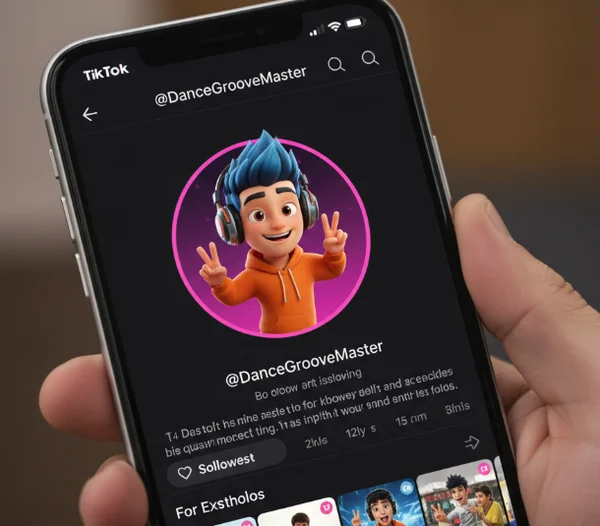
Technical specs for TikTok are unique. Profile pictures have a minimum size of 20 x 20 pixels, which is incredibly small. To keep your image from looking like a blurry mess, upload a high-definition version. A 200 x 200 pixel image is the standard. However, using a higher resolution like 500 x 500 pixels ensures clarity even on large tablets.
Branding Consistency Across TikTok Content
Your profile picture should hint at your content's theme. If you make tech tutorials, a "Pixel Art" or "Sketch" style works best. If you are a comedy creator, a highly exaggerated "Cartoon" style helps set the mood.
- Color Palettes: Use bright colors that contrast with the TikTok interface.
- Simplicity: Because the avatar is small, avoid busy backgrounds. A simple, solid color background works best.
- Consistency: Use the same cartoon style in your video overlays to build a strong brand identity.
LinkedIn Professional Cartoon Avatar Guide
Cartoons are becoming increasingly popular on professional networks like LinkedIn. A professional cartoon avatar allows you to maintain privacy while showing personality. It also shows that you are tech-savvy. However, the rules for LinkedIn are very different from Instagram or TikTok.
Balancing Personality and Professionalism
On LinkedIn, the goal is to look competent and trustworthy. While you want to stand out, you don't want to look like a child's drawing. To achieve the perfect balance, use styles like "Sketch" or "Oil Painting." Alternatively, try a subtle "Pixar" style that doesn't exaggerate features too much.
A professional cartoon avatar should still look like you. The AI should capture your professional hairstyle, glasses, or typical work attire. This ensures that connections recognize you immediately in person or on a video call. Avoid overly "cute" styles or neon colors. Stick to professional tones like blues, greys, and whites for your background.
Technical Specifications for LinkedIn's Platform
LinkedIn is quite strict with its image requirements. Does LinkedIn’s compression eat your pixel art? Upload at 400px minimum. The recommended LinkedIn profile picture size is 400 x 400 pixels.
The platform allows files up to 8MB, so prioritize quality over file size. When generating your business-appropriate cartoon generator, ensure the output is at least 400 x 400 pixels.
LinkedIn allows you to crop the photo after uploading, but starting with a square image is better. A high-resolution output prevents the "blur" caused by compression algorithms. In a professional context, a blurry photo can be seen as a lack of attention to detail.
Cross-Platform Cartoon Optimization Checklist
Mastering these sizing rules ensures your cartoon avatar looks professional everywhere. Your anime-style LinkedIn avatar might confuse recruiters—but nailing these specs guarantees cross-platform polish.
- Instagram: 1080 x 1080 pixels, 1:1 ratio, vibrant styles.
- TikTok: 500 x 500 pixels, clean lines, simple backgrounds.
- LinkedIn: 400 x 400 pixels, professional styles, high resolution.
Skip expensive design software—our AI instantly tailors cartoons to platform specs while you focus on being creative. By using a powerful create your avatar tool, you can generate multiple styles in seconds.
Ready to transform your online presence? Head over to the homepage and start creating your unique cartoon identity today. Whether you want to be a Disney hero or a professional sketch, the perfect avatar is just one click away.
Frequently Asked Questions
What's the best cartoon style for professional networking?
For professional networking on sites like LinkedIn, the best style is usually a "Sketch" or a subtle 3D style. The goal is to remain recognizable. You want a professional cartoon avatar that looks like a high-end illustration rather than a caricature. You can try this tool to see which style fits your professional brand best.
How do I make my cartoon avatar recognizable across all platforms?
To maintain recognizability, keep your color palette and core features consistent. If your Instagram avatar has a yellow background, use that same yellow on TikTok and LinkedIn. Ensure the AI captures distinct features like your hair color or glasses. Consistency across platforms builds trust and brand awareness.
Can I use the same cartoon image across all social media platforms?
While you can use the same image, it isn't always recommended. Each platform has a different "vibe." A fun anime style that works on TikTok might feel too casual for LinkedIn. If you find a style that strikes a perfect balance, generate it in a high-resolution square format (like 1080 x 1080). This ensures it can be cropped effectively by all platforms. To get started with a versatile image, try it now and explore the various style options.