
Game Character Concepts with AI Cartoon Generator
In the fast-paced world of game development, speed and creativity are paramount. Designers and artists are constantly under pressure to produce unique, compelling characters within tight deadlines. Traditional concept art, while essential, can be a major bottleneck, slowing down the entire creative pipeline. Struggling to visualize new game characters quickly and efficiently?
This is where artificial intelligence changes the game. An AI cartoon generator offers a revolutionary way to approach character design. It allows artists to bypass hours of initial sketching and rapidly transform simple reference photos into a diverse range of styled character concepts.
This guide will explore how CartoonGenerator.ai serves as a powerful AI tool for game designers. We'll show you how to instantly generate everything from pixel art heroes to expressive anime protagonists, accelerating your workflow and unlocking new creative possibilities.
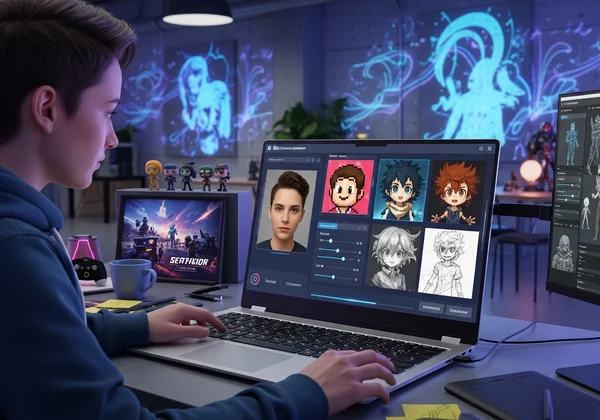
Why Game Designers Need an AI Character Generator
Adopting AI tools isn't about replacing artistic skill; it's about enhancing it. An AI character generator acts as a creative co-pilot, helping you overcome common hurdles in the design process and bring your vision to life faster than ever before. It provides a strategic advantage in a competitive industry.
Accelerating Your Character Concept Workflow
The most significant benefit of using an AI game character generator is the dramatic increase in speed. A single character concept can take hours or even days to sketch, refine, and color. With AI, you can generate dozens of variations in minutes.
This acceleration allows you to move from a vague idea to a tangible visual asset almost instantly. Skip the full afternoon sketch. Explore looks, moods, and styles in multiples. Use the saved time for big stuff: final refinements, turnarounds, and in-game assets.
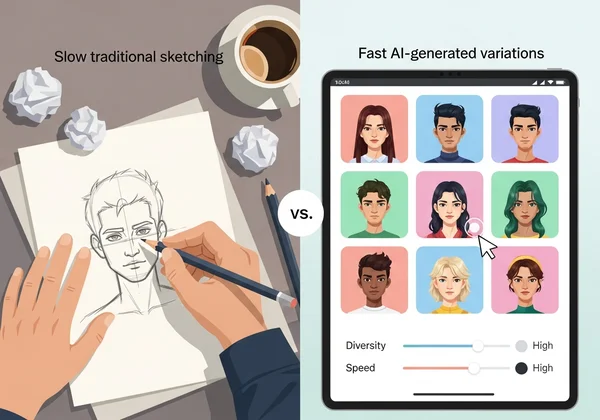
The Power of AI for Visualizing Game Ideas Instantly
Creative blocks can stall any project. When you're staring at a blank page, it can be difficult to find inspiration. An AI tool helps shatter this barrier by providing immediate visual feedback. You can upload a photo of a model, a friend, or even yourself and see it re-imaged in different artistic styles.
This instant visualization is a game-changer. It lets you and your team pick an art direction fast. Compare a Ghibli-inspired fantasy look to a gritty Sketch vibe. Early alignment means no costly revisions down the line. With a game character generator, you can iterate on ideas with unparalleled freedom.
Your Guide to Creating AI Game Characters from Photos
Getting started with an AI-powered workflow is surprisingly simple. Our AI tool is designed to be intuitive, allowing you to focus on creativity rather than complex software. Here’s a straightforward guide to turning reference photos into stunning game character concepts.
Preparing Optimal Reference Images for AI Transformation
The quality of your output depends heavily on the quality of your input. To get the best results from the AI, you need to provide it with a clear and suitable reference photo. Follow these simple tips:
- Use High-Quality Photos: Blurry or low-resolution images can confuse the AI. Use sharp, clear photos where the subject's features are easily visible.
- Good Lighting is Key: Avoid photos with harsh shadows or extreme backlighting. Even, natural lighting works best, as it helps the AI understand the form and structure of the face and body.
- Clear Facial Expressions: For character portraits, use photos with distinct expressions. A neutral look is great for a base model, while a smile or a frown can help the AI generate more emotive concepts.
- Simple Backgrounds: A busy background can sometimes distract the AI. A photo taken against a plain wall or a simple backdrop helps the AI focus entirely on the subject.
Selecting the Perfect AI Style: Pixel Art, Sketch, or Anime
Once you have your reference image, the next step is choosing an artistic style that matches your game's aesthetic. Our tool offers a curated selection of popular styles perfect for game design.
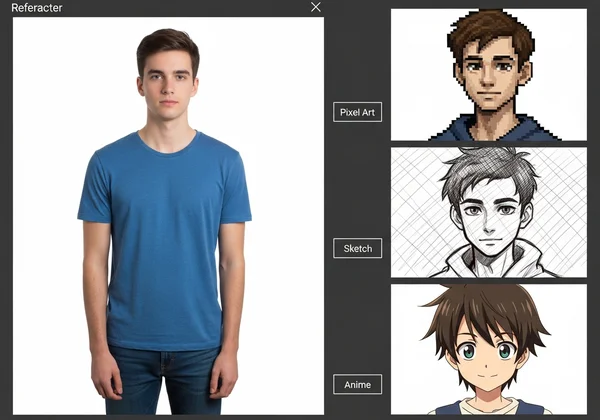
- Pixel Art Style: Ideal for retro RPGs, platformers, or indie games with a nostalgic feel. The AI pixel art from photo feature can instantly create a character sprite concept, saving you hours of manual pixel placement.
- Sketch Style: Perfect for the early stages of concepting. The Sketch filter creates a hand-drawn look that is great for mood boards, storyboards, and initial design documents. It’s an excellent way to generate a base for a more detailed illustration.
- Anime Style: A versatile choice for JRPGs, visual novels, and fighting games. The AI can capture the iconic large eyes, expressive features, and vibrant hair colors associated with the anime aesthetic, providing a fantastic starting point for stylized character design.
Choosing the right style is crucial. You can try different styles with the same photo to see which one best fits your game's world.
Generating & Customizing Your Initial Character Concepts
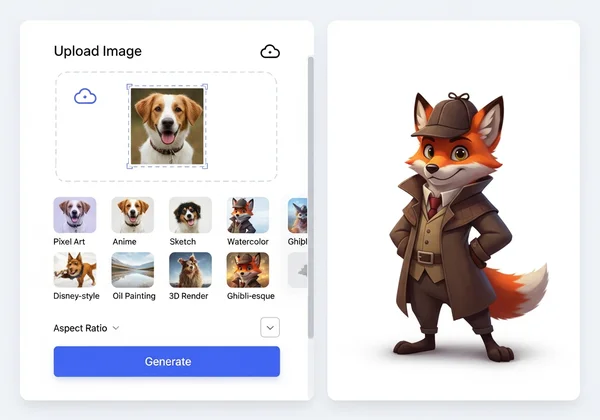
The generation process itself is incredibly straightforward and designed for efficiency. It follows a simple three-step flow:
- Upload Your Image: Drag and drop your prepared reference photo into the generator or select it from your device.
- Choose Your Style & Aspect Ratio: Select your desired art style from the menu (e.g., Anime, Pixel Art, Disney-style). You can also choose an aspect ratio, like 1:1 for a profile picture or 16:9 for a cinematic shot.
- Generate Your Character: Click the generate button and let the AI work its magic. Within seconds, you'll have a brand-new character concept ready for review.
You can repeat this process as many times as you need, experimenting with different photos and styles to build a rich library of character ideas for your project.
Iteration, Collaboration, and Beyond with AI Game Art
Using an AI cartoon generator goes beyond creating a single image. It becomes an integral part of your professional workflow, enhancing collaboration and streamlining the entire development pipeline from concept to final asset.
Quick Prototyping for Efficient Team Reviews
One of the biggest challenges in game development is communicating visual ideas effectively. Words can be misinterpreted, but a picture is universal. With AI, you no longer have to spend a day drawing a concept just to have it rejected by the art director.
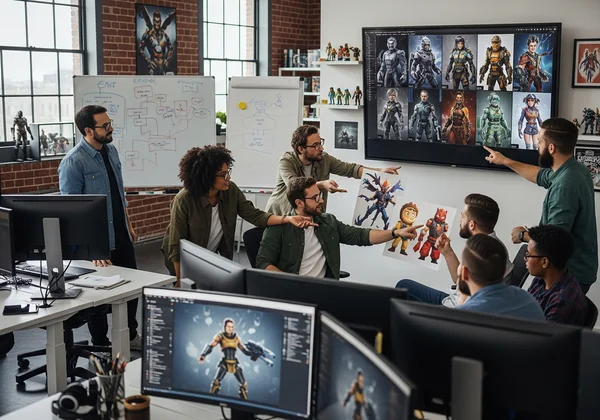
Instead, you can generate five or ten different visual approaches in under an hour. Present a variety of styles, color palettes, and character interpretations to your team. This quick prototyping allows for faster feedback and decision-making. The team can quickly agree on a direction, confident that they have explored multiple possibilities. This collaborative process saves time, reduces frustration, and leads to stronger final designs.
Integrating AI Concepts into Your Game Development Pipeline
The character concepts you create with our AI tool are not meant to be the final product. Instead, think of them as a powerful "Layer 0" or a creative foundation. Once you have an AI-generated concept that your team loves, you can bring it into your standard design software.
Pros can import these concepts into Photoshop for painting, ZBrush for sculpting, or Illustrator for vectors. AI handles the basics—composition, color, and form. This frees the artist to focus on adding the details, personality, and polish that make a character truly memorable. This integration makes the tool a valuable asset in any modern game art pipeline.
Level Up Your Game Design Today
Game design is changing fast—AI is leading the charge. Imagine cranking out dozens of character concepts in minutes, testing pixel art or anime styles on the fly, and getting your team on the same page quicker. That's the edge our tool gives you.
Ready to revolutionize your character design process? Visit our AI cartoon generator and start creating your first game character concept in seconds.
Frequently Asked Questions for AI Game Character Design
What is an AI game character generator and how does it help designers?
An AI game character generator is a tool that uses artificial intelligence to transform a reference photo into a stylized character concept. It helps designers by dramatically speeding up the initial idea phase, providing instant visual inspiration, and allowing for rapid exploration of different art styles, which saves time and effort in the game development pipeline.
How can I turn my photos into game character concepts using AI?
The process is very simple. First, you upload a clear, well-lit photo of a person to an AI tool. Second, you select a desired artistic style, such as Anime, Pixel Art, or Sketch. Finally, you click the generate button, and the AI creates a new character concept based on your inputs. You can try our free tool to see it in action.
Which AI cartoon styles are best for different game art concepts?
The best style depends entirely on your game's genre and aesthetic. For retro or indie games, Pixel Art is a perfect choice. For early-stage ideation or creating mood boards, the Sketch style works wonderfully. For visual novels, JRPGs, or other highly stylized games, the Anime or Disney-style options are excellent starting points.
What kind of reference photos work best for AI game character generation?
For the highest quality results, use sharp, high-resolution photos with good, even lighting. Photos with simple, uncluttered backgrounds are ideal because they allow the AI to focus on the subject. Clear facial expressions and poses also help the AI generate more dynamic and interesting character concepts.
Can our AI tool produce high-quality character designs for professional use?
Yes, absolutely. Our AI tool produces high-quality concept art that is perfect for professional use. These generated images serve as an excellent foundation for art directors to approve a direction and for artists to then take into software like Photoshop to refine, paint over, and add the final polish required for in-game assets.